 JapanQuest
Before you start
- Confirm that the related application or campaign exists.
- Even without push permission, check the in-app notification list regularly.
Steps
- 1
Open the linked activity
A notification opens its related application, campaign, approval, or chat. Confirm the final state on that screen.
- 2
Select the correct conversation
Check the participant, campaign, latest message, and unread count before opening a thread.
- 3
Review a schedule proposal
Check date, start and end time, timezone, and proposer. Once accepted, verify that both sides see it as confirmed.
- 4
Record material changes
Keep changes to venue, benefits, deadline, and direct-payment date in chat so both parties have a record.
- 5
Attach a file if needed
Attach PDF or JPEG/PNG/WebP/HEIC/HEIF images up to 15 MB. Remove sensitive information first.
You are done when
Unread activity is cleared and both parties can see the agreed schedule and important terms in the thread.
Checklist
- The conversation belongs to the correct campaign
- Date, time, and timezone match
- Important terms are not only agreed verbally
UI
Screen guide
Screens use test data for explanation. Labels may differ by app version and account state.
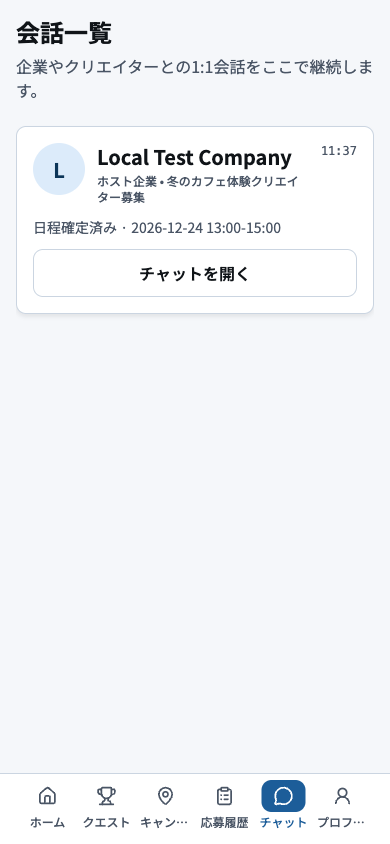
- 1Unread and latest messagePrioritize conversations with unread messages, schedule changes, or approaching deadlines.
- 2Campaign and participantMatch the participant and campaign before opening a thread to prevent cross-campaign messages.
- 3Bottom navigationUse the bottom navigation to leave chat after checking that no urgent unread item remains.
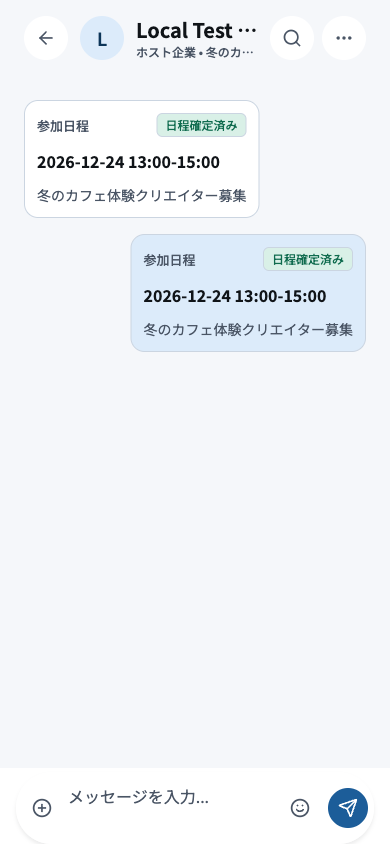
- 1Participant and campaignConfirm the participant and campaign at the top before writing or approving anything.
- 2Schedule proposalReview date, start time, end time, and timezone before accepting or requesting a change.
- 3Agreement messagesRecord venue, benefits, posting deadline, and payment date so both parties retain the agreement.
- 4Compose, attach, and sendAttach only necessary files, review the message, send once, and wait for confirmation.
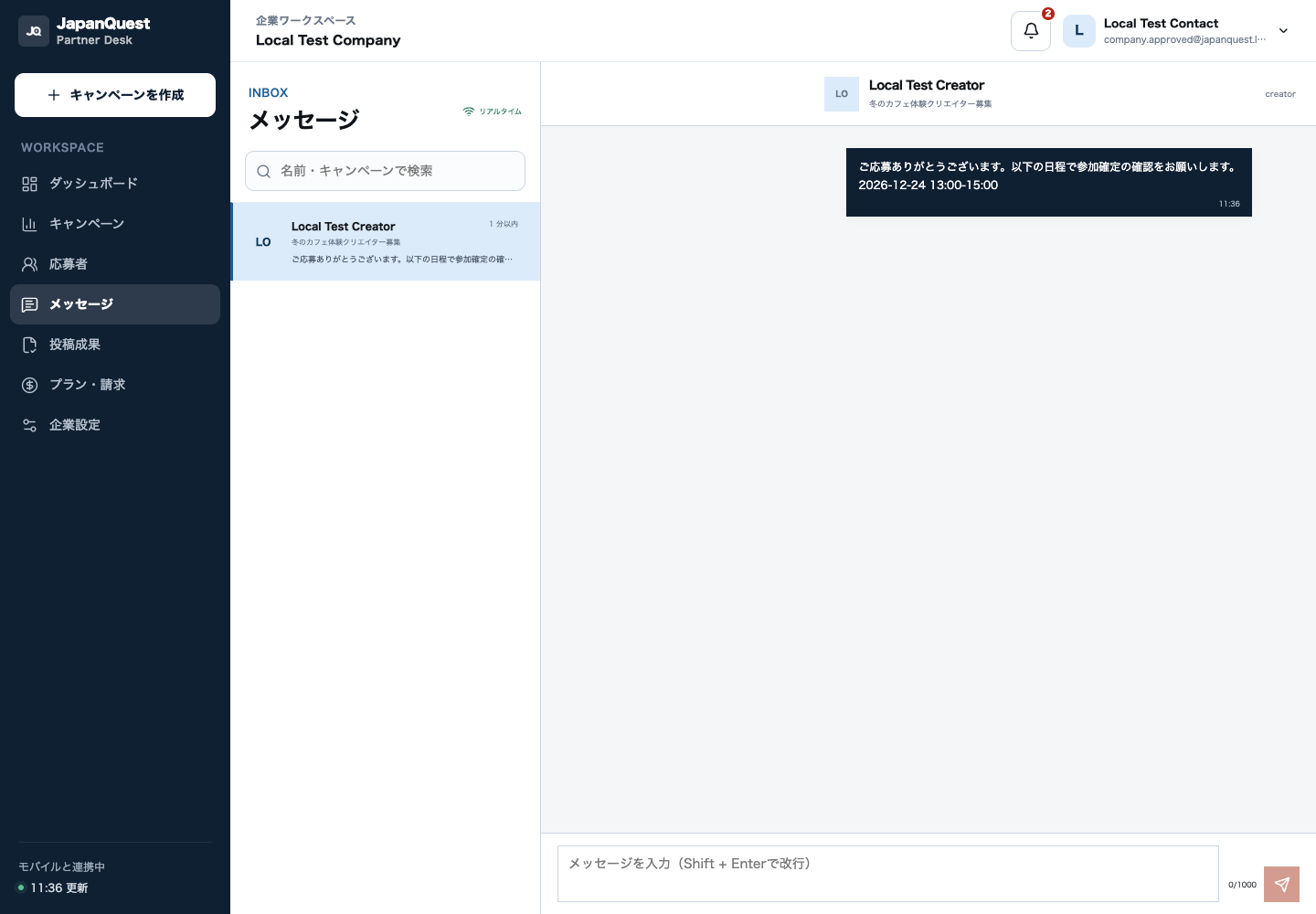
- 1Conversation listSelect work by unread state and update time, and check the list for conversations without an owner.
- 2Selected participantVerify the creator and campaign shown here before responding on behalf of the company.
- 3Message historyReview prior agreements, schedule changes, and files to avoid duplicate or contradictory guidance.
- 4Compose and sendRemove internal or sensitive data, then send only the information needed by the creator.