 JapanQuest
Before you start
- Confirm that you are signed in to the correct account and role.
- Before considering deletion, review active transactions and outstanding obligations.
Steps
- 1
Open Settings
Open Settings from your profile or navigation. Companies can also launch Partner Desk from mobile Settings.
- 2
Change the display language
Choose Japanese, English, Korean, or Chinese under Language. After the interface changes, recheck dates and important terms in the selected language.
- 3
Review guides and legal documents
Open role guides or the complete manual under Tutorials and guides. Under Legal documents, review the Terms and Privacy Policy that apply to your current role.
- 4
Log out
Log out after using a shared device. The saved session ends and the login screen returns.
- 5
Resolve obligations before deletion
Companies should review active campaigns, unreviewed UGC, billing, and payments. Creators should review applications, accepted work, unsubmitted deliverables, Wallet claims, and direct payments. Deletion does not cancel outstanding obligations.
- 6
Delete the account
Read the retention notice, acknowledge that deletion cannot be undone, and complete the final confirmation. If prompted for an Apple-linked account, also finish Apple verification.
You are done when
The selected language and settings take effect, and any requested sign-out or deletion is handled according to the confirmation shown.
Checklist
- The terms match the current role
- You logged out on a shared device
- Campaign, deliverable, billing, and payment obligations were reviewed before deletion
Screen guide
Screens use test data for explanation. Labels may differ by app version and account state.
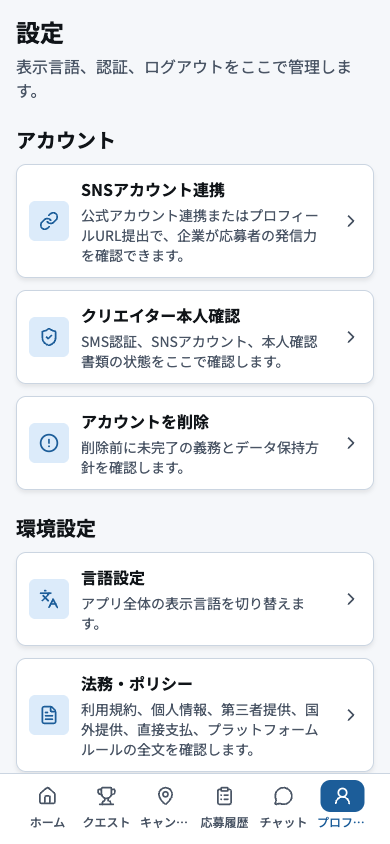
- 1Social account connectionConnect active social accounts and public URLs, removing or updating obsolete connections.
- 2Identity verificationTrack phone and identity checks, correcting only the item named in a resubmission notice.
- 3Delete accountResolve active campaigns, submissions, and payments before starting irreversible account deletion.
- 4Display languageChange the interface language and recheck important dates and conditions after switching.
- 5Legal and policiesRead the terms, privacy notice, and direct-payment notice that apply to the current role.
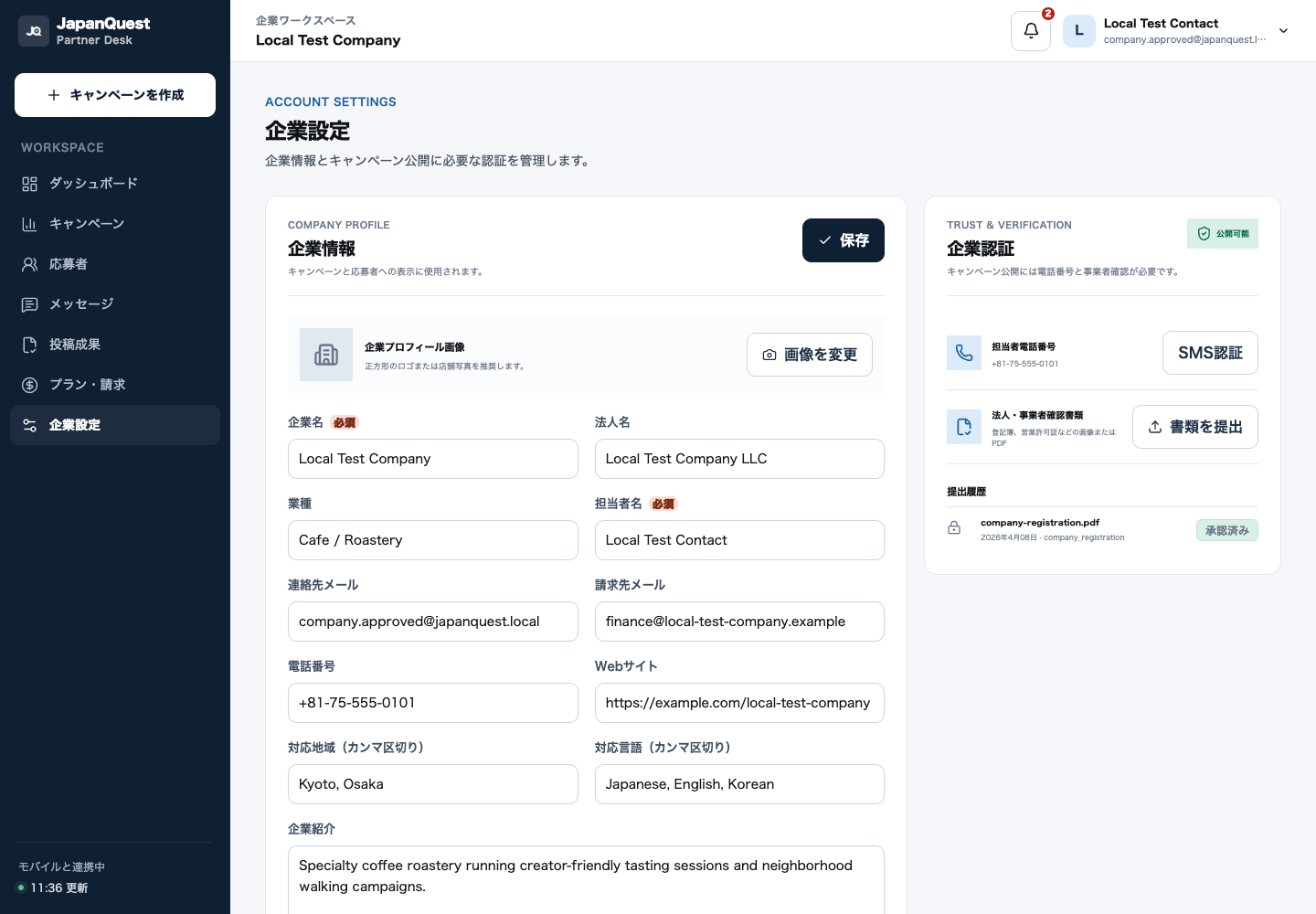
- 1Basic profileKeep the public company name, description, and category accurate and current.
- 2Business verificationCheck legal name, address, and document status; correct only the item named in a resubmission notice.
- 3Branch and contact detailsMaintain active locations and operator contacts, removing closed branches and obsolete details.