 JapanQuest
Before you start
- Confirm the visit or delivery is complete and a submission notification arrived.
- Have the original content requirements and reviewer ready.
Steps
- 1
Open Deliverables
Choose the creator in Partner Desk Deliverables or the mobile application view.
- 2
Check URL and disclosure
Confirm the post is public and meets the platform, format, keywords, hashtags, and ad-disclosure requirements.
- 3
Review files
Check images, video, or PDF for the agreed content, rights issues, and personal data. Up to 10 deliverable files are supported.
- 4
Review metrics and evidence
Compare reach, impressions, likes, saves, shares, comments, or clicks with evidence screenshots. Up to five evidence images are supported.
- 5
Request precise corrections
Name the missing requirement, source condition, and due date. Do not unilaterally demand work outside the campaign scope.
- 6
Approve and pay
Record approval and pay the creator directly by the agreed date.
You are done when
The deliverable and evidence are reviewed, and either payment or a scoped correction request is clear.
Checklist
- The URL opens while signed out
- Ad disclosure is visible
- Metric capture time is known
- Corrections stay within original scope
Screen guide
Screens use test data for explanation. Labels may differ by app version and account state.
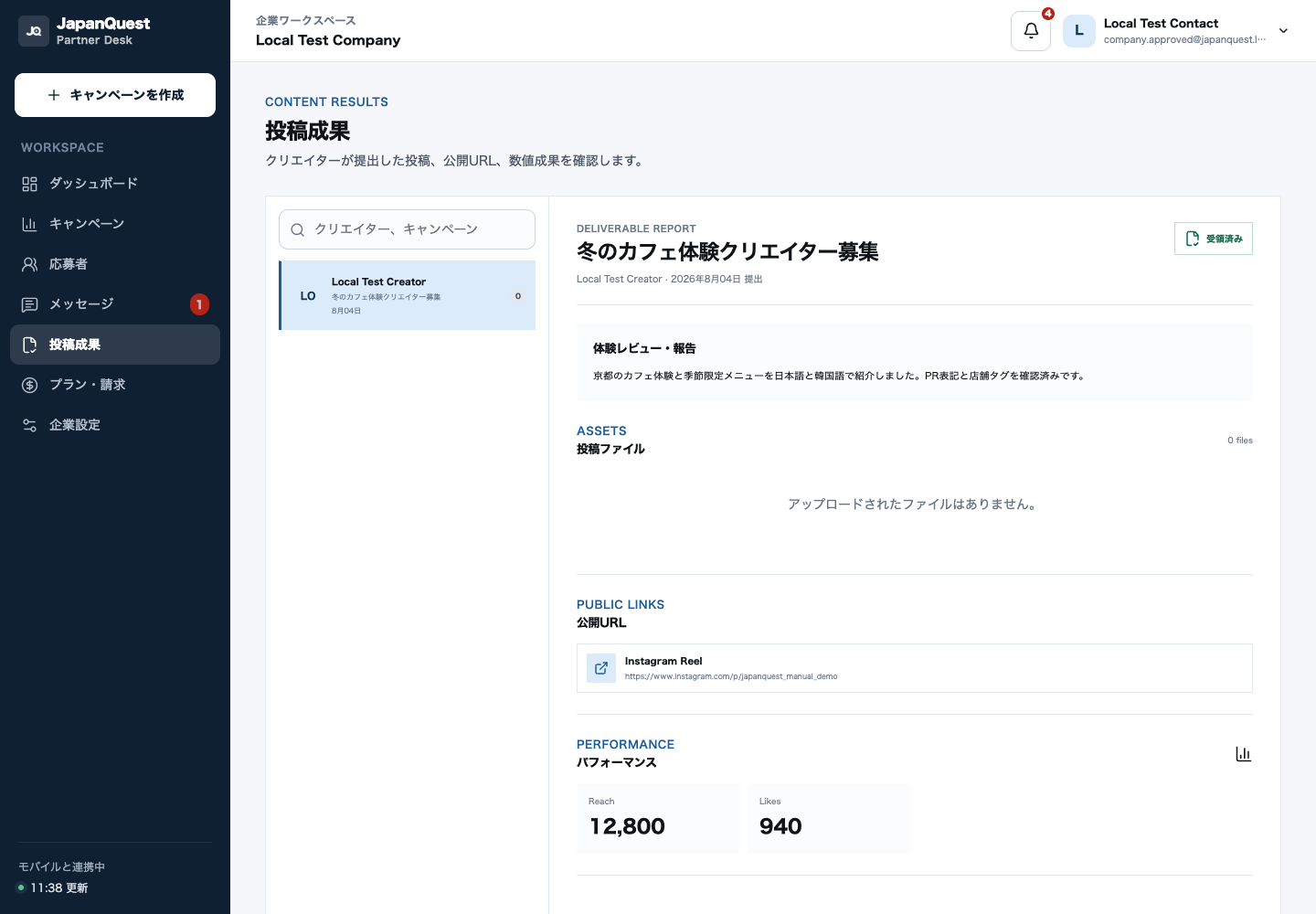
- 1Submitter listChoose unreviewed or revision-pending submissions, prioritizing those near the deadline.
- 2Selected submissionMatch the creator and campaign before inspecting to avoid approving the wrong deliverable.
- 3Public links and filesOpen public URLs while signed out and inspect files and advertising disclosure.
- 4Metrics and evidenceCompare reported metrics with timestamped evidence, then approve or request a specific correction.
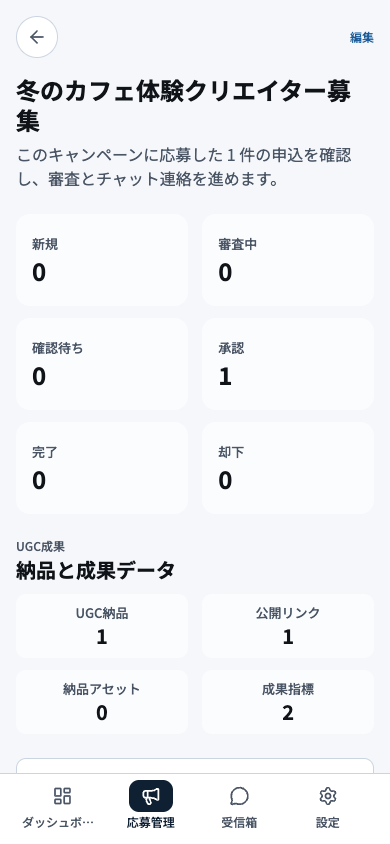
- 1Application summaryUse total, new, in-review, and selected counts to set the review priority.
- 2Counts by statusOpen status groups and start with applicants that have waited the longest.
- 3Deliverable summaryReview deliverables due or awaiting inspection before their deadlines pass.
- 4Company navigationMove to applications, chat, campaigns, or another company task from this navigation.