 JapanQuest
Before you start
- Confirm that the campaign is open and applications have arrived.
- Share selection criteria and ownership with the review team.
Steps
- 1
Filter the list
Filter by campaign and status, then open unreviewed applications first.
- 2
Review the submission
Check creator name, region, languages, social accounts, follower display, motivation, preferred schedule, and direct-payment acknowledgment.
- 3
Update review status
Move from New to Reviewing, then Accepted or Rejected. Changes notify the applicant, so act only after a decision.
- 4
Propose or confirm a schedule
Accept a preferred slot or propose a date with start and end times. Confirm that both parties see the accepted schedule.
- 5
Share operating details
Send venue, contact, benefits, filming limits, content deadline, and payment date in chat.
- 6
Complete only at the end
Do not mark complete before the visit, delivery, submission, review, and required payment are resolved.
You are done when
The selected creator sees a confirmed schedule and both parties can review the operating terms in chat.
Status guide
| Status | Meaning | Next action |
|---|---|---|
| New / Applied | Application received | Open details |
| Reviewing | Company is reviewing | Assess profile, content, and schedule |
| Confirmation requested | Waiting for a response | Review after reply |
| Accepted | Proceeding | Confirm schedule and terms |
| Rejected | Not selected | Verify the target before changing |
| Completed | All required work is done | Retain deliverable and payment records |
Checklist
- Selection criteria were applied consistently
- Timezone was checked
- The applicant was rechecked before rejection
Screen guide
Screens use test data for explanation. Labels may differ by app version and account state.
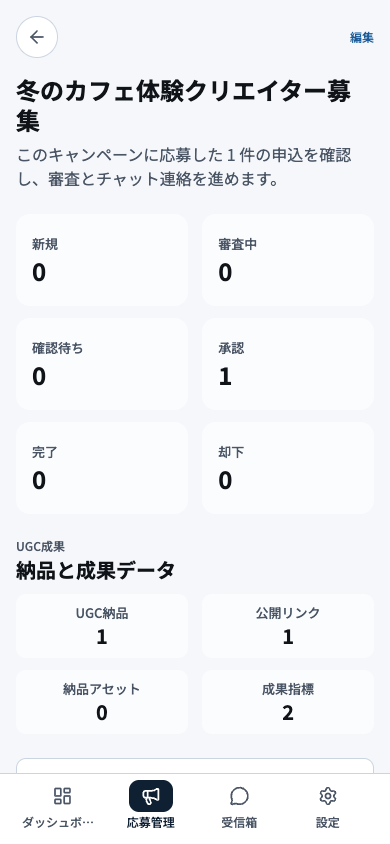
- 1Application summaryUse total, new, in-review, and selected counts to set the review priority.
- 2Counts by statusOpen status groups and start with applicants that have waited the longest.
- 3Deliverable summaryReview deliverables due or awaiting inspection before their deadlines pass.
- 4Company navigationMove to applications, chat, campaigns, or another company task from this navigation.
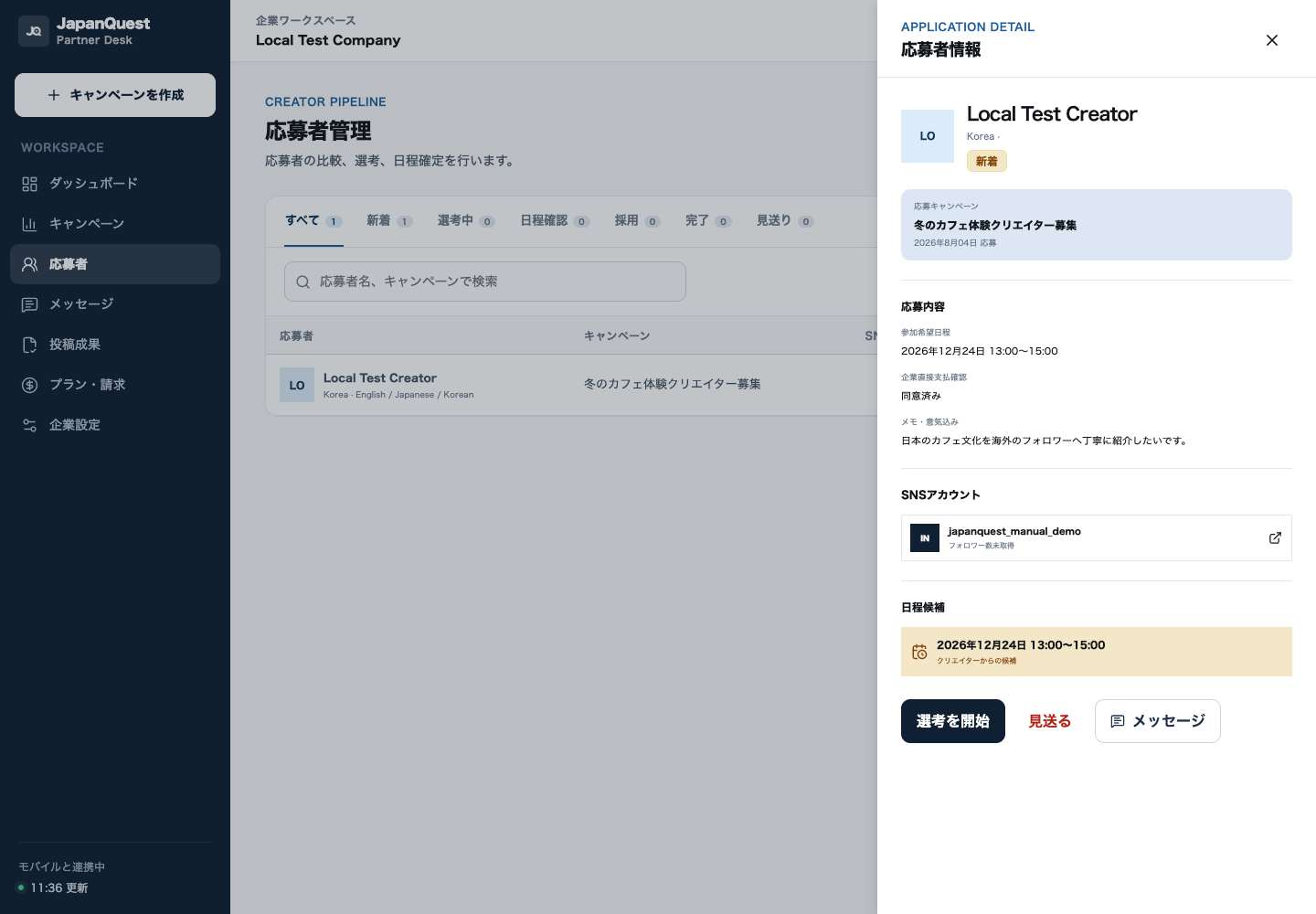
- 1Campaign and status filtersFix the campaign and review state before working so the applicant is evaluated in the correct queue.
- 2Applicant overviewReview name, location, languages, and verification status needed for eligibility.
- 3Motivation and socialRead the motivation and public social profiles to judge fit and relevant production experience.
- 4Preferred and confirmed scheduleCompare preferred and proposed slots, including timezone, before confirming availability.
- 5Review actionsPrepare the decision reason and required message before selecting, declining, or requesting details.
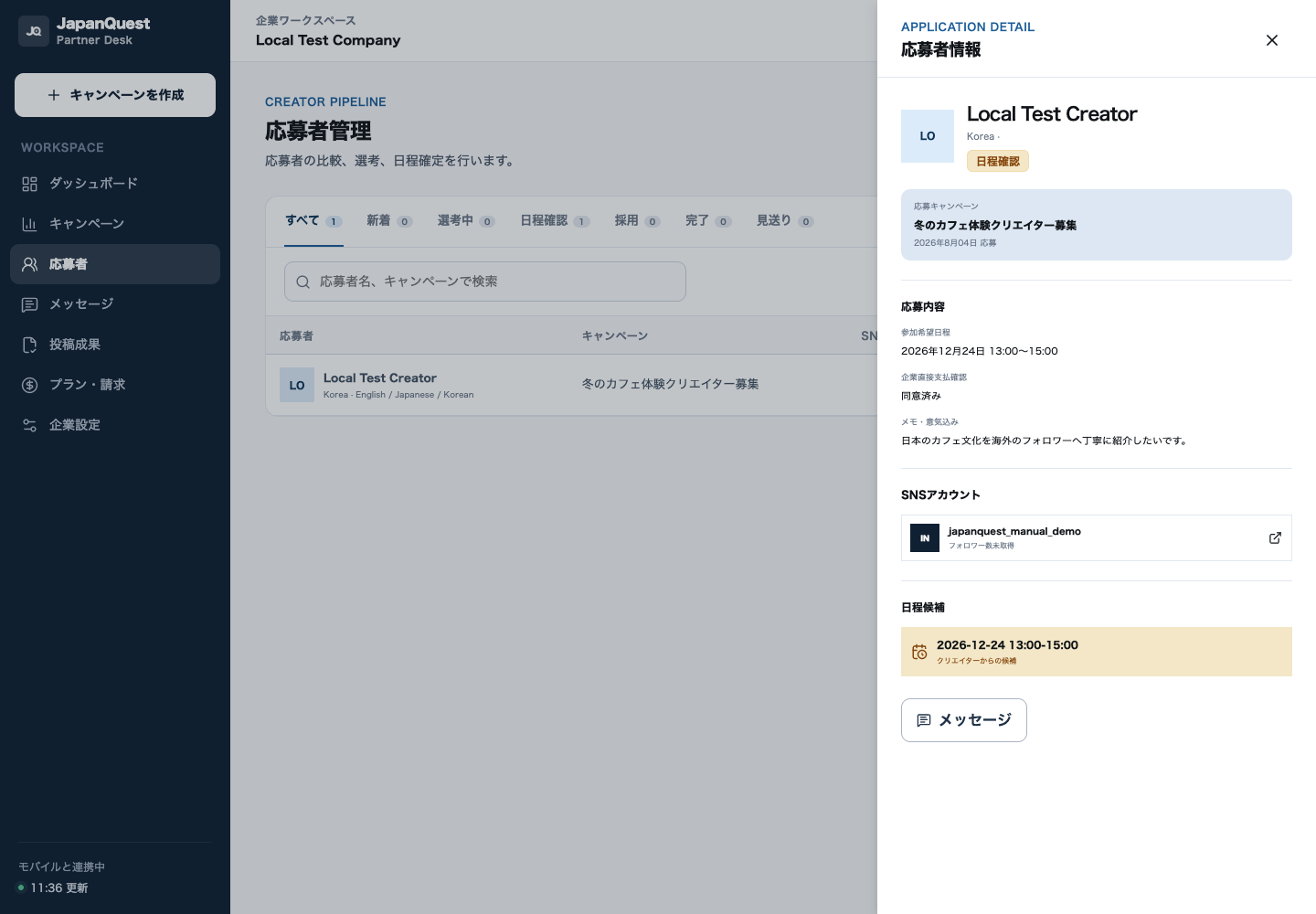
- 1Applicant and statusConfirm the applicant, campaign, and selected state before taking the next action.
- 2Reviewed submissionRecheck the application, social profile, and review notes to avoid a decision mismatch.
- 3Confirmed scheduleVerify the date, start, end, and timezone accepted by both parties.
- 4Next actionsAfter confirmation, send the venue and operator details in chat and begin visit preparation.